

T-Rex Online WEB Monitoring
Where can I see WebUI for my miner?
Open http://127.0.0.1:4067/ (or localhost) in a web browser on the mining machine.
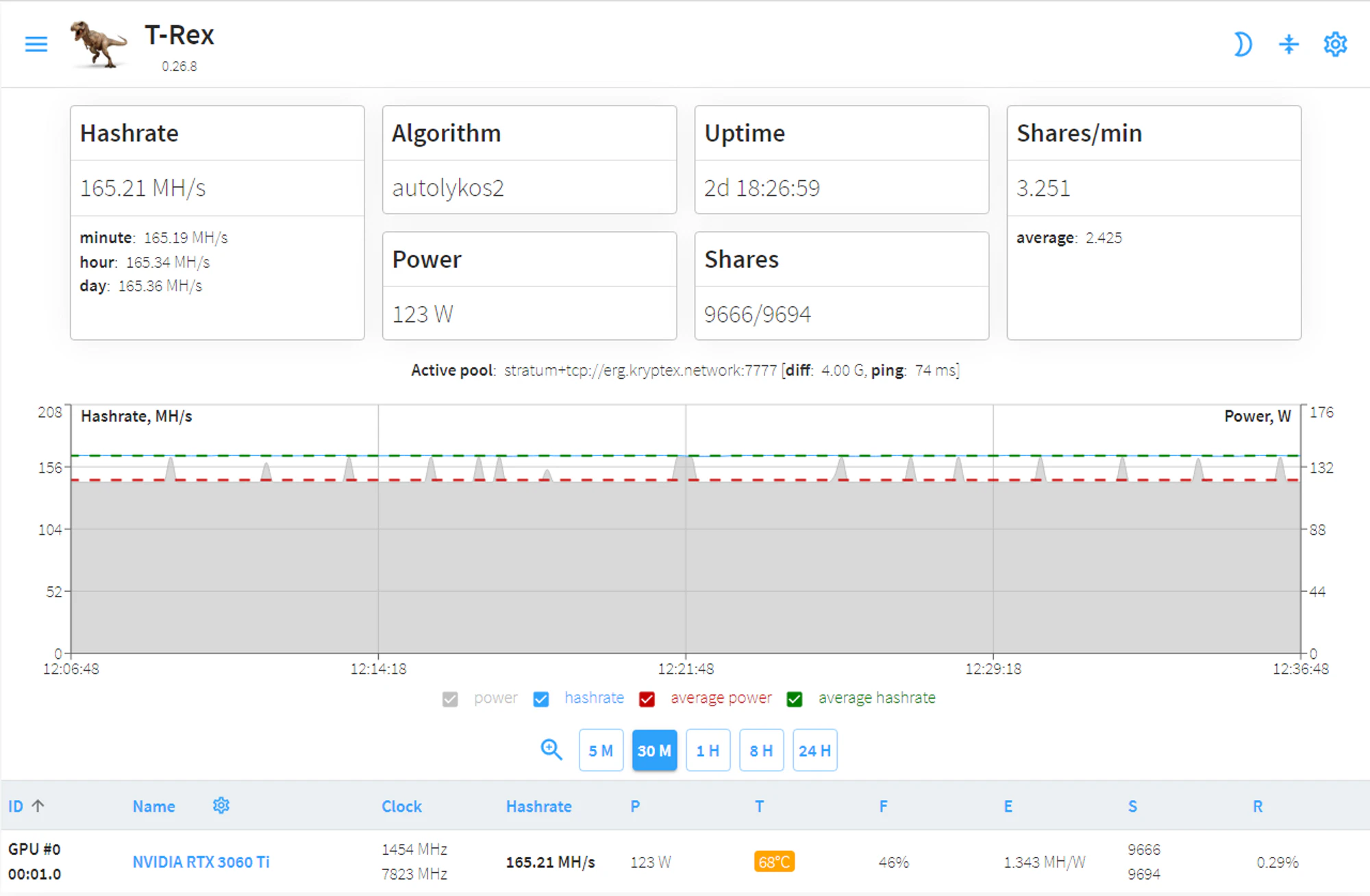
How do I see the T-Rex WebUI from another computer or phone on my local network?
If you cannot see your T-Rex WebUI from another computer on your local network, it is most likely due to a firewall issue on the computer doing the mining.
To open the default port (TCP port 4067) T-Rex uses for incoming connections, follow the instructions below.
Windows:
- On the miner, go to Start > Run and type firewall.cpl to open the Windows Firewall window.
- Click on the "Advanced Settings" link on the left pane. The Windows Firewall with Advanced security window opens.
- Click on the "Inbound Rules" option.
- On the right pane, click on "New rule".
- Under "Rule Type" select the option "Port" and click next.
- Select "TCP" and "specific local ports" options.
- Enter 4067 in the specific local ports box and click next.
- Select the option "Allow the connection" and click next.
- Click next. (leave the three boxes checked)
- Enter T-Rex in the Name field and click Finish.
Linux (using UFW):
- From a terminal window do: sudo ufw allow from any to any port 4067 proto tcp
- To verify the rule was added correctly, do: sudo ufw status
