Description of messages in the ForgeMiner window
How to understand the messages in the ForgeMiner console? Startup info, device detection, pool connection, and the hashrate/health tables.
What can you see in the miner window?
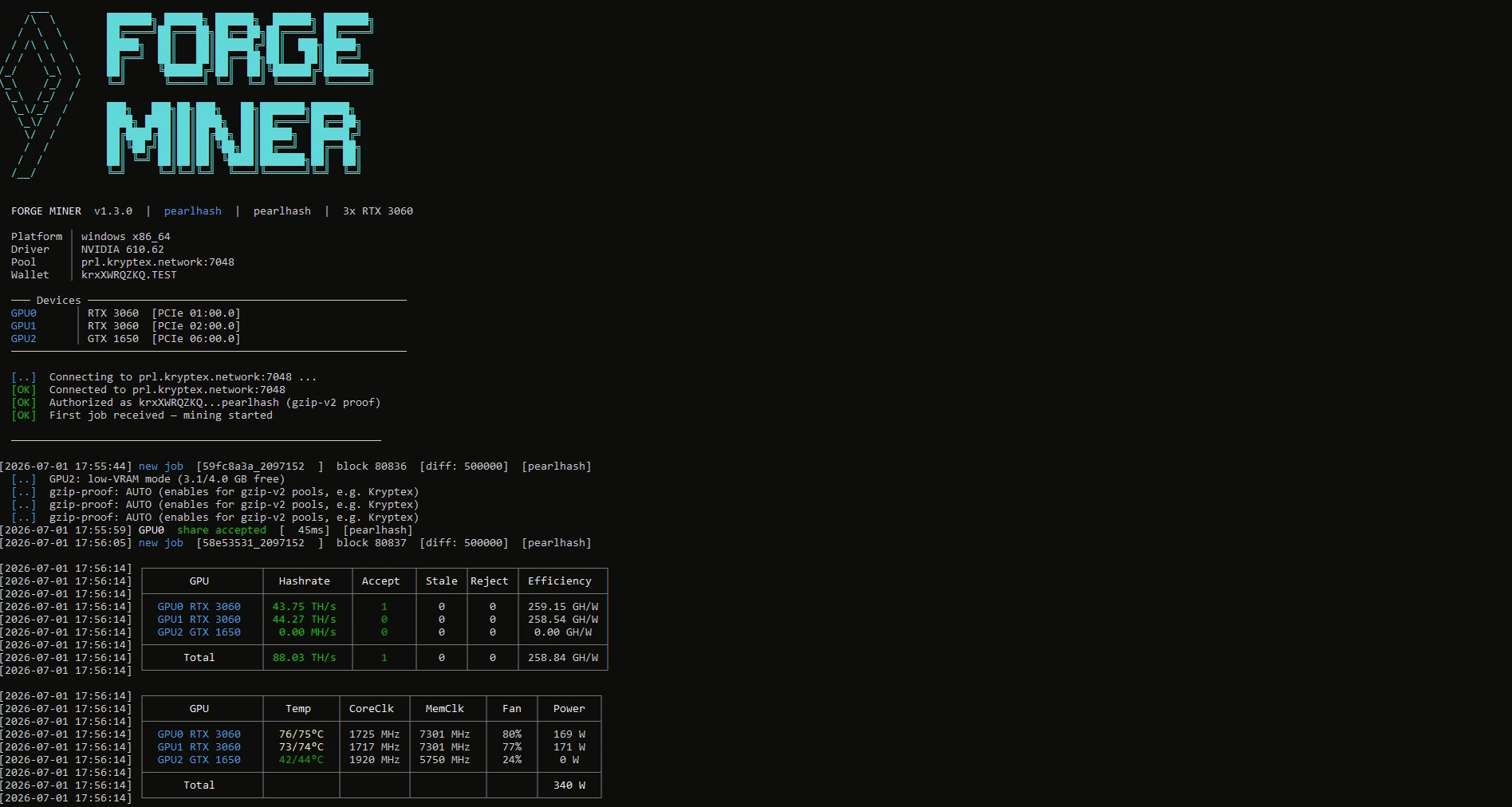
1. Startup line FORGE MINER vX.Y.Z | pearlhash | pearlhash | 3x RTX 3060 — version, algorithm (shown twice: requested / active), and detected GPU summary.
2. Info block Platform, Driver, Pool, Wallet — OS/arch, NVIDIA driver version, pool address, and the wallet/worker in use.
3. Device list Devices — one line per GPU with its model and PCIe bus address.
4. Connection log Connecting, Connected, Authorized, First job received — pool handshake sequence; gzip-v2 proof refers to Kryptex's low-bandwidth pool protocol.
5. Job line new job — job id, block number, and share difficulty diff.
6. Share notification share accepted — printed per share, with the GPU that found it and latency.
7. Hashrate table, printed periodically:
  - GPU — GPU model.
  - Hashrate — per-GPU hash rate (unit switches between MH/s and TH/s by magnitude).
  - Accept / Stale / Reject — share counts from this GPU.
  - Efficiency — hash rate per watt (GH/W).
  - Total row — sums across all GPUs.
8. Health table, printed alongside it:
  - Temp — GPU temperature, °C (a second value after the slash is the hotspot/junction reading, where reported).
  - CoreClk / MemClk — current core and memory clocks, MHz.
  - Fan — fan speed, %.
  - Power — power draw, W (shown as 0 W on cards without power telemetry, e.g. older GTX models); the Total row sums it across all GPUs.