Description of messages in the Krig window
How to understand the messages in the Krig console? Startup info, pool handshake, device setup, and the periodic stats/metric lines.
What can you see in the miner window?
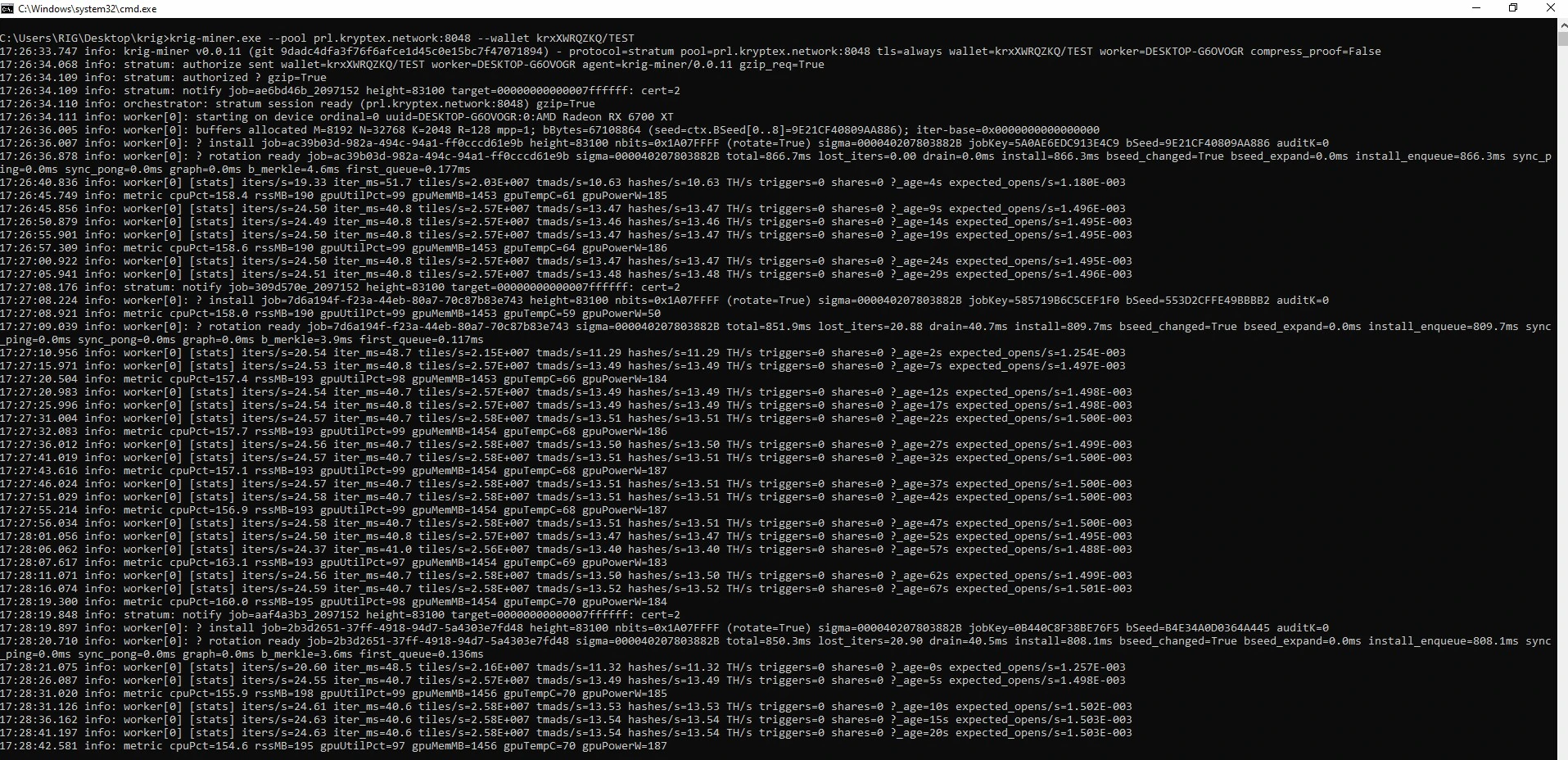
1. Startup line info: krig-miner vX.Y.Z (git ...) - protocol=stratum pool=... tls=always wallet=... worker=... compress_proof=False — version, build hash, pool address, TLS mode, and the wallet/worker in use.
2. Pool handshake stratum: authorize sent, stratum: authorized, stratum: notify — connect, log in, and receive the current job (height, target).
3. Session ready orchestrator: stratum session ready — the pool session is fully established.
4. Device start worker[N]: starting on device — the GPU ordinal, UUID and model this worker mines on.
5. Buffer setup worker[N]: buffers allocated — one-time GPU memory allocation for the mining pipeline.
6. Job install worker[N]: ? install job, worker[N]: ? rotation ready — a new job is uploaded to the GPU and the compute pipeline is rotated in; the timing breakdown (total, drain, install) shows how long that took.
7. Per-worker stats, printed periodically:
  - iters/s, iter_ms — mining loop iterations per second and their average time.
  - tiles/s, tmads/s — internal compute throughput counters.
  - hashes/s — hash rate (shown in TH/s).
  - shares — shares found by this worker since start.
  - _age — time since the worker started this job.
  - expected_opens/s — expected share rate at the current difficulty.
8. System/GPU metrics, printed alongside the stats line:
  - cpuPct, rssMB — CPU usage and resident memory of the miner process.
  - gpuUtilPct — GPU utilization, %.
  - gpuTempC — GPU temperature, °C.
  - gpuPowerW — GPU power draw, W.
  - gpuMemMB — GPU memory used by the miner, MB.